Scan straight back to your spool.
Find its remaining weight, location, and print history. Reprint the same code whenever you need another copy.
Android available now · iPhone coming soon
Spoolmark is a local-first filament inventory for mixed-brand shelves. Add spools in batches, print QR labels that lead back to the right spool, and keep track of what is left for your next print.
On Google Play, the current listing appears as Spool Scanner (Spoolmark) while the product name changes. The screens and feature tour below show the upcoming iPhone version; features vary by platform and release.
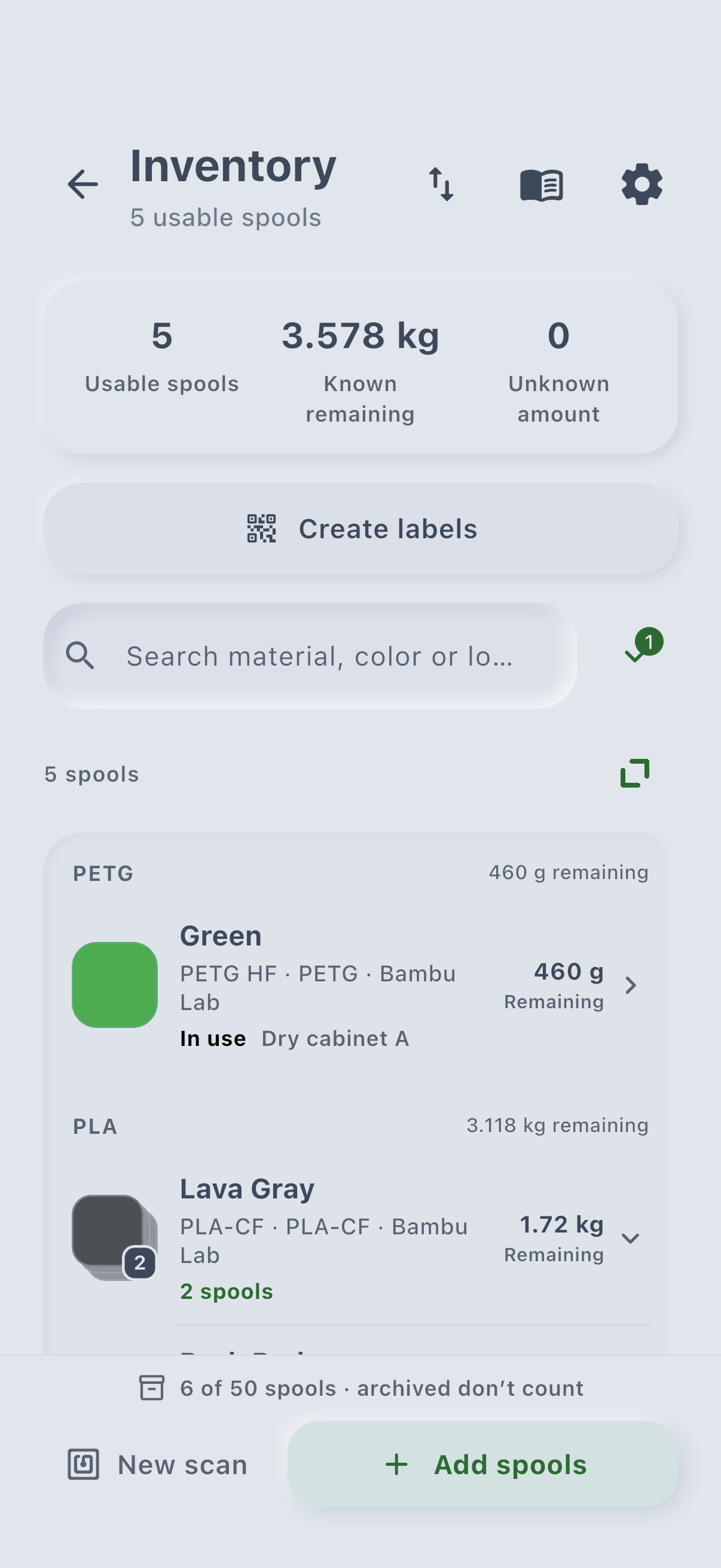
iPhone preview · Inventory labels
Two identical rolls can have very different stories. Give each physical spool its own QR label, then scan it to open that exact record—even offline.
Find its remaining weight, location, and print history. Reprint the same code whenever you need another copy.
Export PDF labels in 50 × 30 or 60 × 40 mm sizes, or arrange them on A4 and US Letter sheets. Adjust copies, margins, gaps, and the starting position on a partly used sheet.
Labels belong to your local inventory. A JSON backup carries those links with it when you restore on another device.
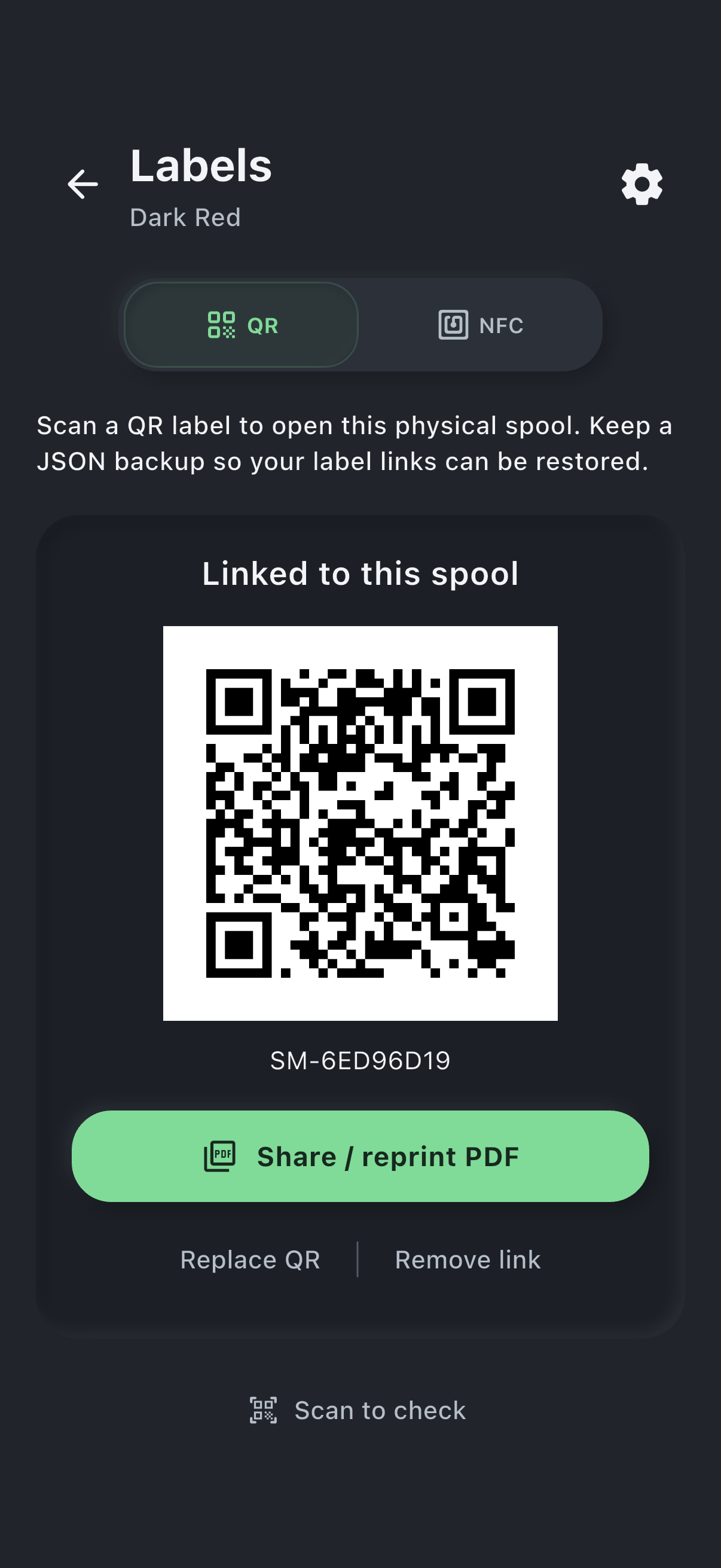
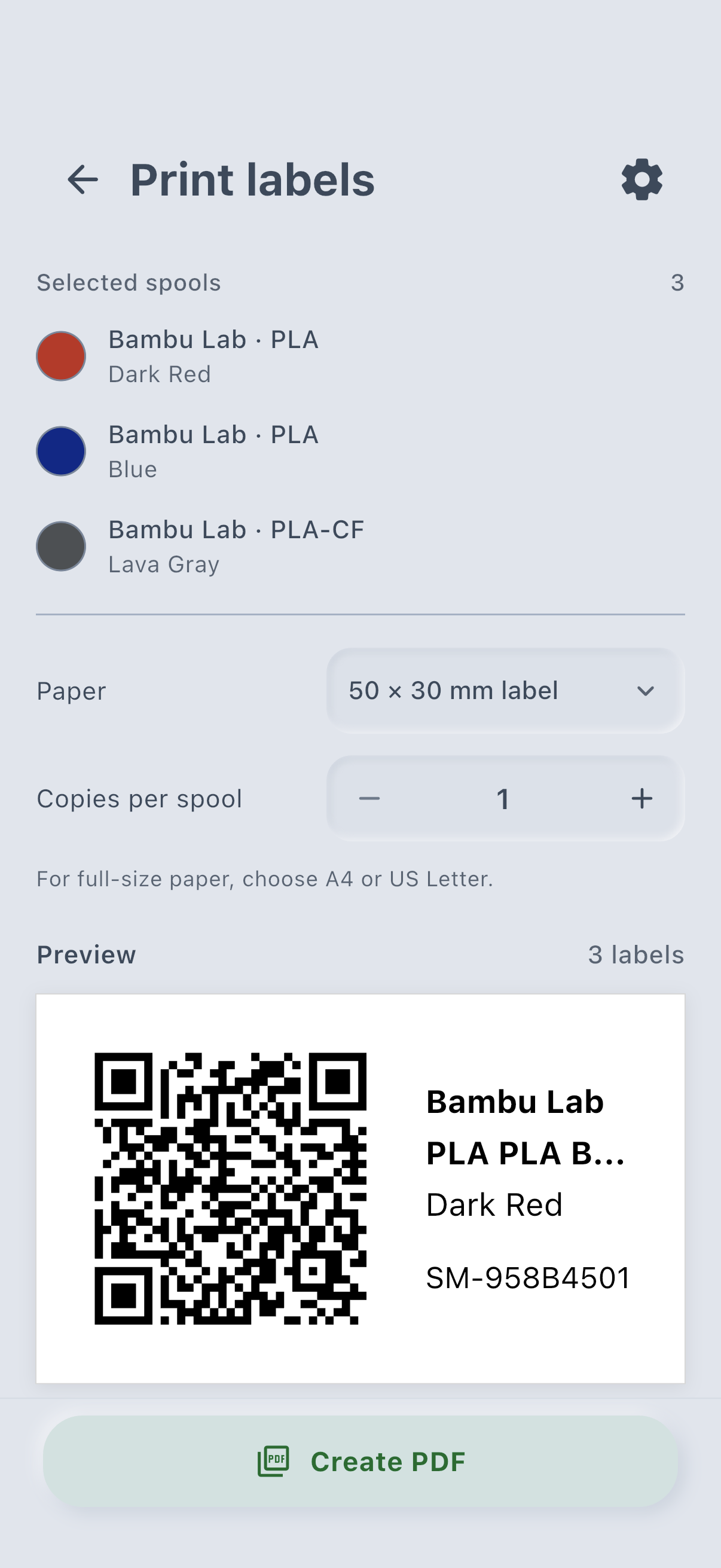
Your filament inventory
Start with the filament you already own. Find the right material and color, see where you stored it, and check how much is left before starting a print.
01Inventory
See your filament grouped by material. Search by material, color, or location to find a spool, see where it is stored, and check its remaining weight.
02Track
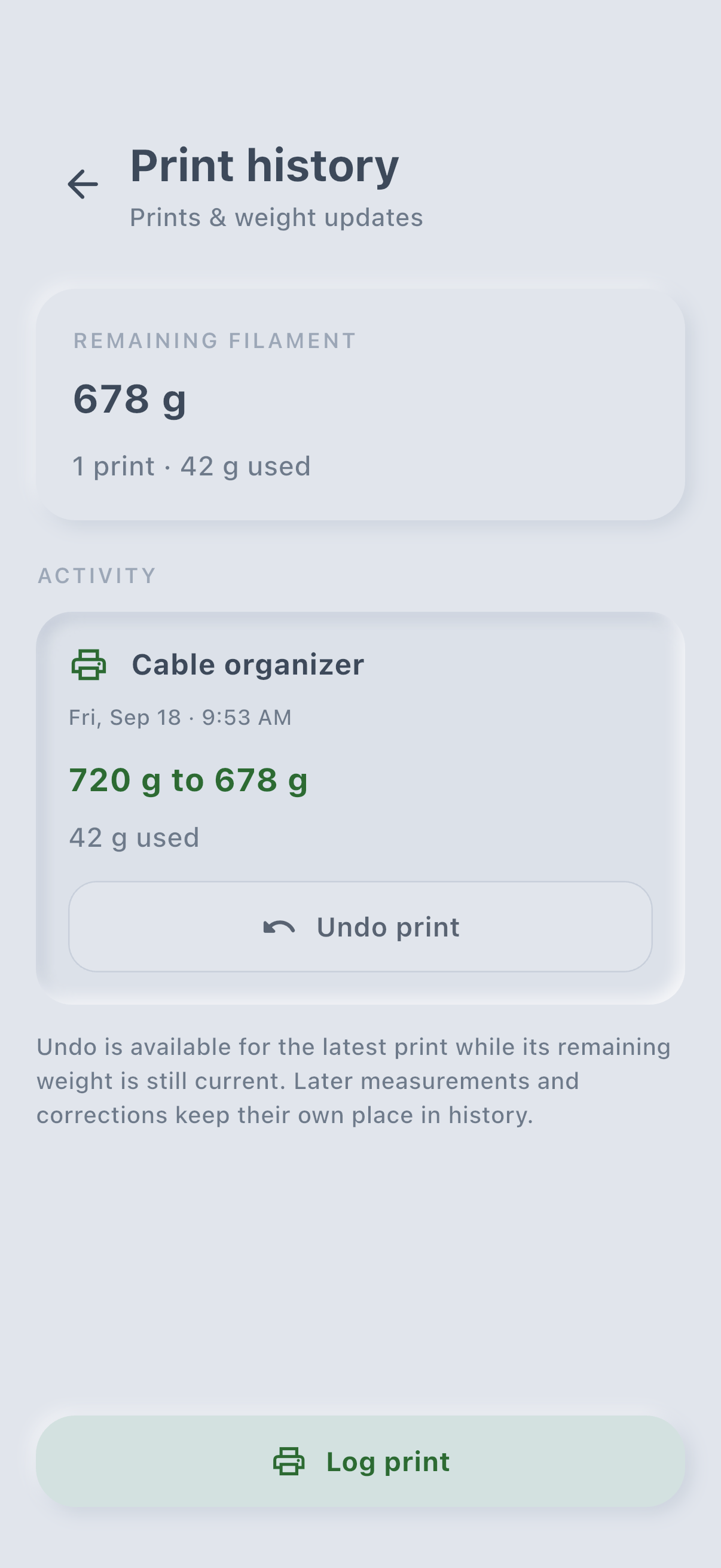
Weigh a spool or log the grams used by a print to keep its remaining amount up to date. Check the history of prints and weight changes when planning the next job.
03Compare
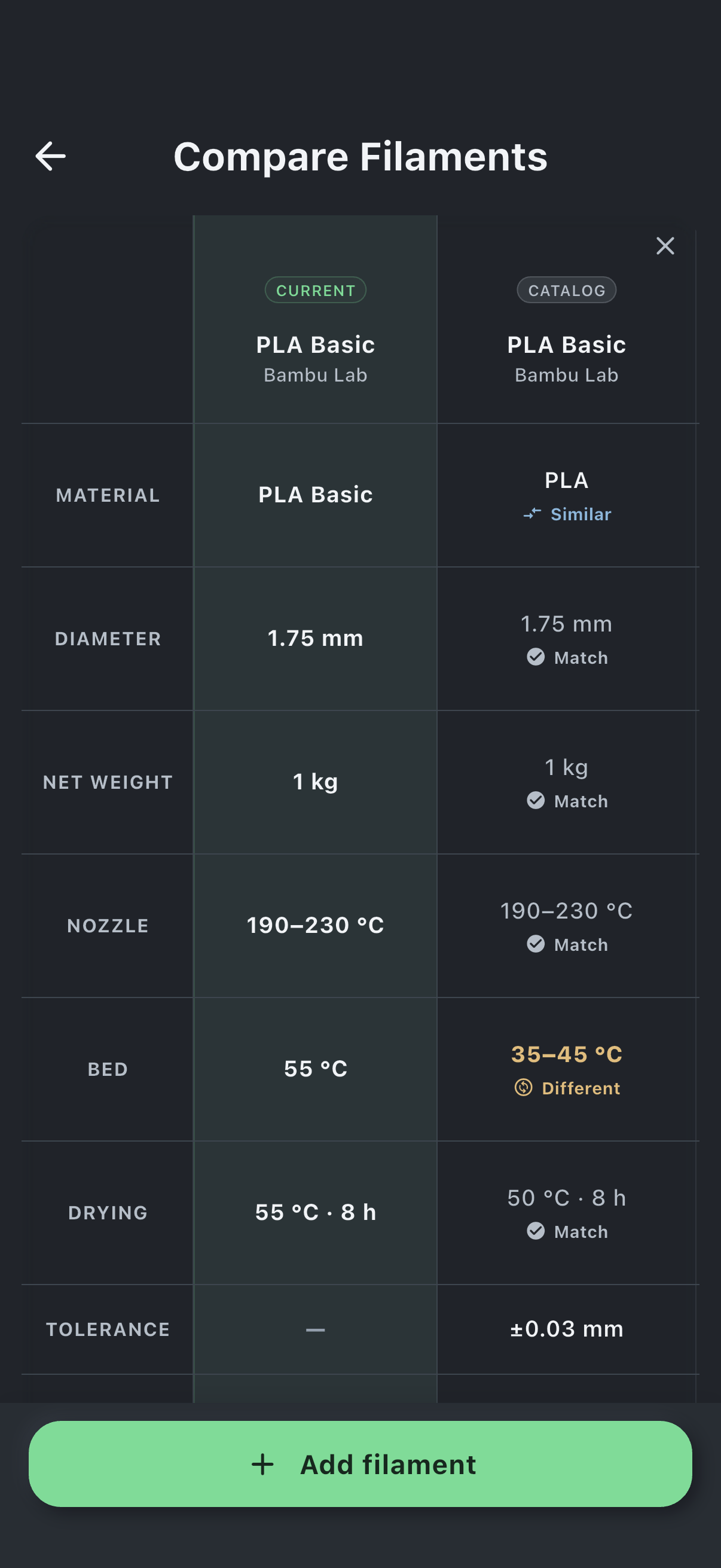
Compare materials, diameters, and printing and drying temperatures side by side. See what changes before trying a different filament.
App screens show the iPhone preview with sample data, in light and dark themes.
Made to stay useful
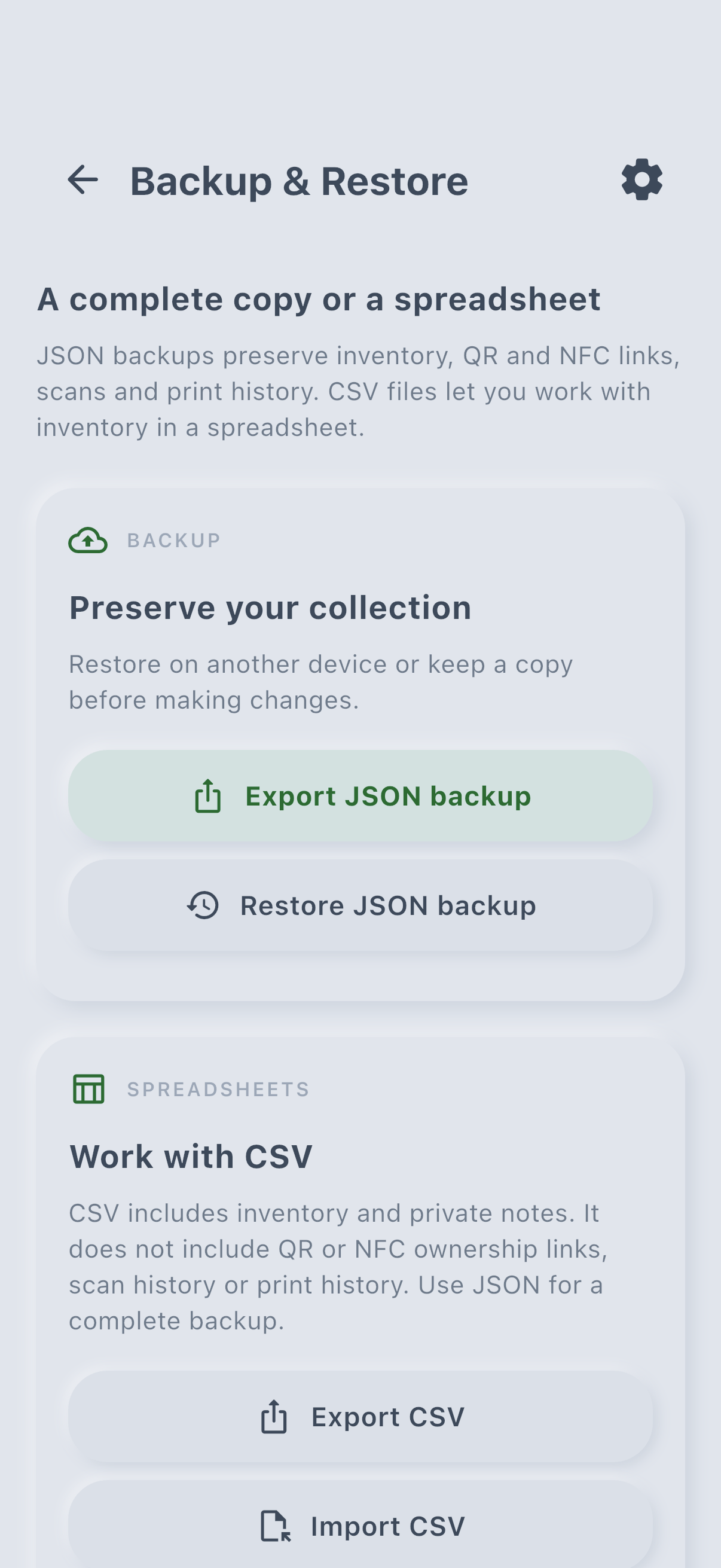
Export a JSON backup with your spool records, label links, and history. Review a merge or replacement before restoring. CSV import and export let you work with inventory in a spreadsheet; use JSON to preserve label links and history.
Link a supported NFC tag to an inventory spool, or create a compatible label. A guided batch flow walks you through labeling multiple spools on supported hardware.
Choose light, charcoal dark, or follow your system setting. Your filament colors stay the same in either theme.
Platform support
The product stays consistent while each phone uses the intake method its hardware supports.
On compatible hardware, Spoolmark reads supported Bambu Lab and OpenPrintTag records. Create Spoolmark companion labels on NTAG215/216 stickers, or create and update supported OpenPrintTag labels on compatible ICODE SLIX2 tags.
The development build includes camera intake and QR labels without an extra reader, plus compatible Spoolmark and OpenPrintTag NFC labels. An optional ACS ACR1555U-A1 Bluetooth integration is being prepared for read-only scans of original Bambu Lab tags. Physical-device testing and reader review are still pending; final support will be confirmed before release.
Bambu Lab tags remain read-only. Spoolmark does not modify, clone, or imitate them, and protected or unknown tags are left unchanged.
Original Bambu Lab tags use MIFARE Classic. Compatible Android hardware can read them directly, while built-in iPhone NFC cannot.
In the iPhone development build, Spoolmark companion tags are read-only. Compatible OpenPrintTag filament tags support weight updates; creating a new OpenPrintTag label requires a blank, unprotected ICODE SLIX2 tag. The same OpenPrintTag limits apply on Android.
Privacy and care
Privacy is part of the product architecture, not a setting you have to hunt for.
Core use stores inventory on your device and needs no account.
Read the privacy noteiPhone camera-intake photos are analyzed on-device and discarded afterward.
Questions go to the person building and maintaining Spoolmark.
Email supportReady for the next print
Get Spoolmark on Android today. The iPhone App Store listing is coming soon, beginning with a U.S. launch.