
Answer the next question.
Query a collection or collection group with typed filters and sorting. Save the definition. Run server-side Count, Sum, or Average without fetching every matching document.
The Firestore workspace for developers
Find the document. Understand the query. Review the change. Eldgard brings your cloud projects and local emulators into one desktop workspace—with a read-only companion for your phone.
Currently in development. Planned desktop pricing: $6/month or $60/year.
01 / The workspace
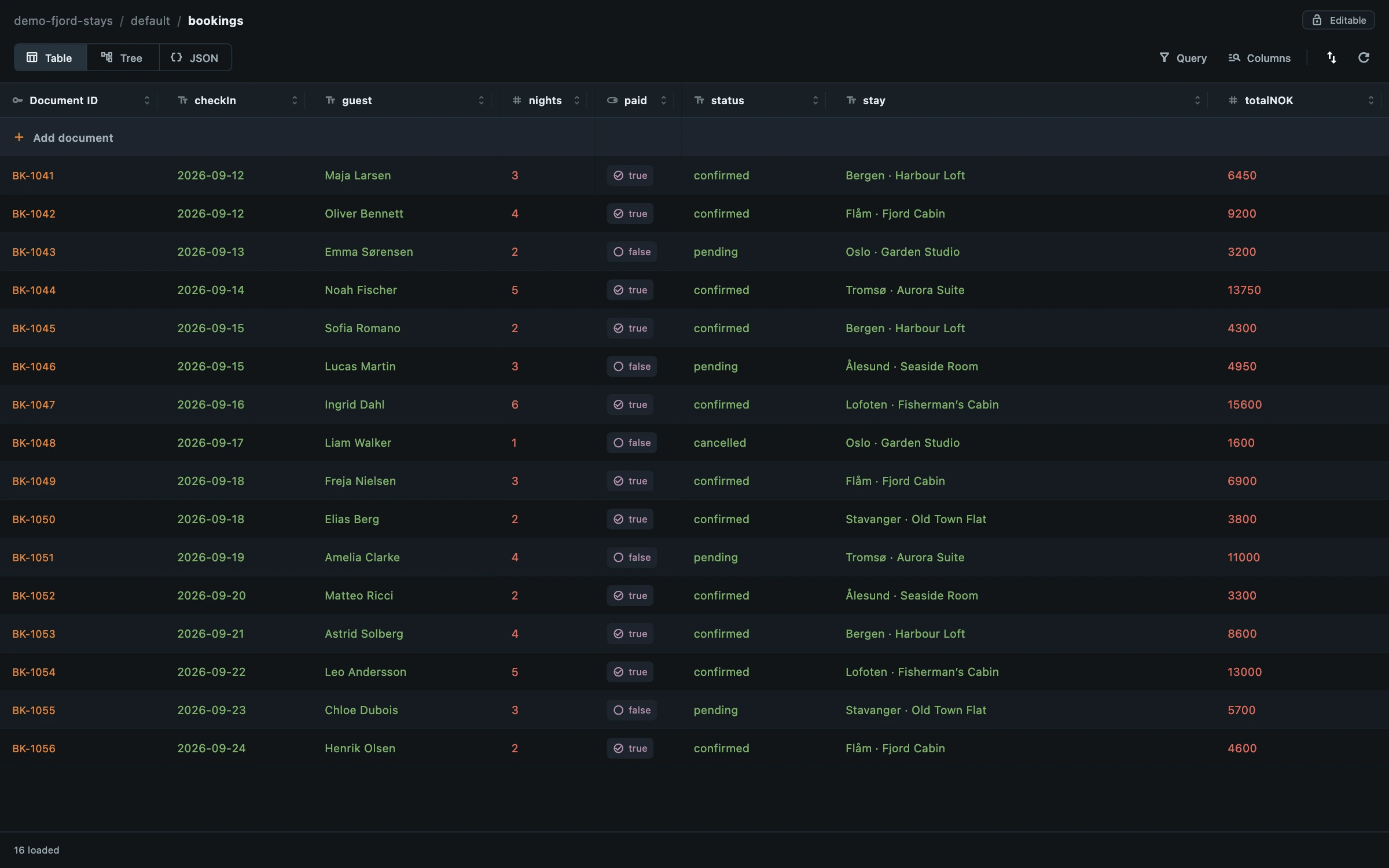
Go from a collection to the field that matters. Keep investigations in separate tabs, with table, tree, and JSON views for different jobs.
02 / Built for the work
For developers debugging an app, inspecting a cloud project, or setting up the next local test. These workflows are already in the development app.
Query a collection or collection group with typed filters and sorting. Save the definition. Run server-side Count, Sum, or Average without fetching every matching document.
Work with timestamps, references, geopoints, bytes, maps, and arrays—not just strings. Review a single-document change as a typed before-and-after diff before applying it.
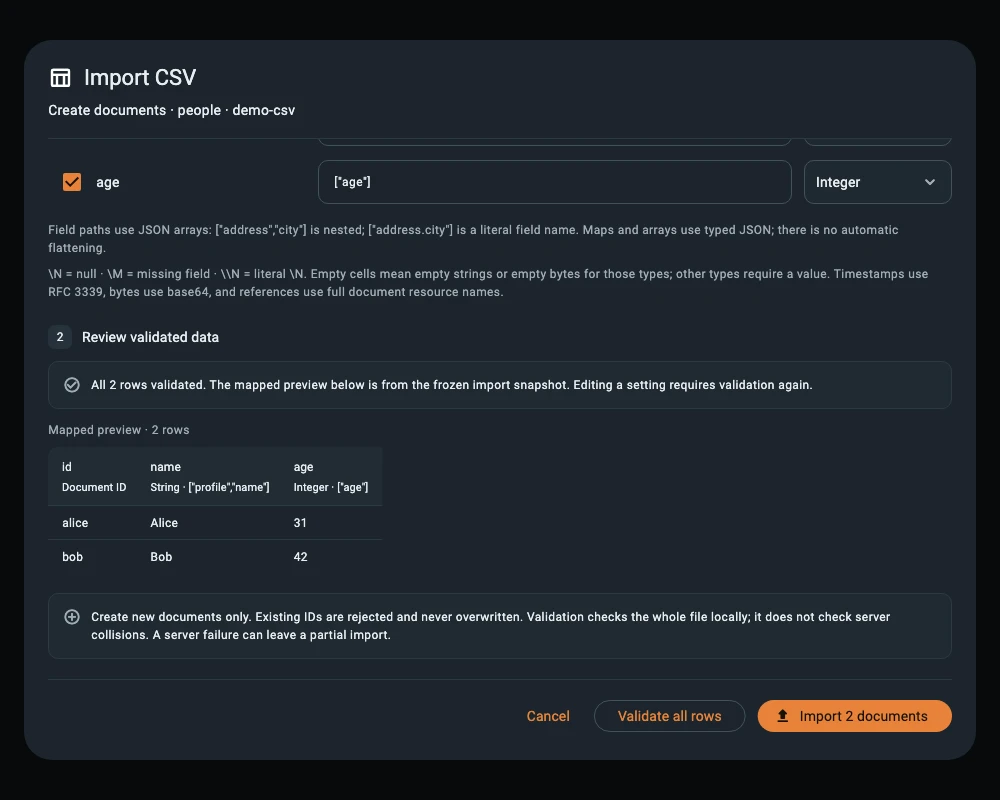
Map CSV columns to Firestore fields and validate the whole file before creating documents. Choose loaded results, a fresh query, or a whole collection for CSV export. Use typed JSON for richer data.
Copy a cloud collection and its subcollections into an empty emulator destination. Or use Autoflow to import a local JSON seed file when a collection is missing.
Know what you’re changing
Production data deserves more than an easy-to-click Save button. Eldgard gives you context before a single-document change and controls for keeping a workspace read-only.
Protect a project or collection with read-only mode. Browsing, queries, and exports stay available; new writes from Eldgard are blocked. Your Google IAM permissions still apply.
Review the environment, full document path, and typed before-and-after values. Single-document edits check the loaded server version and reject a stale change instead of overwriting it.
Restore tabs and view settings after restarting. Optionally retain unfinished document drafts in secure local storage. Reconnect and review before applying a recovered edit.
These controls are not a database backup or a guarantee of bulk rollback. Your app connects directly to Google APIs or your chosen emulator.
Read the safeguards03 / The mobile companion
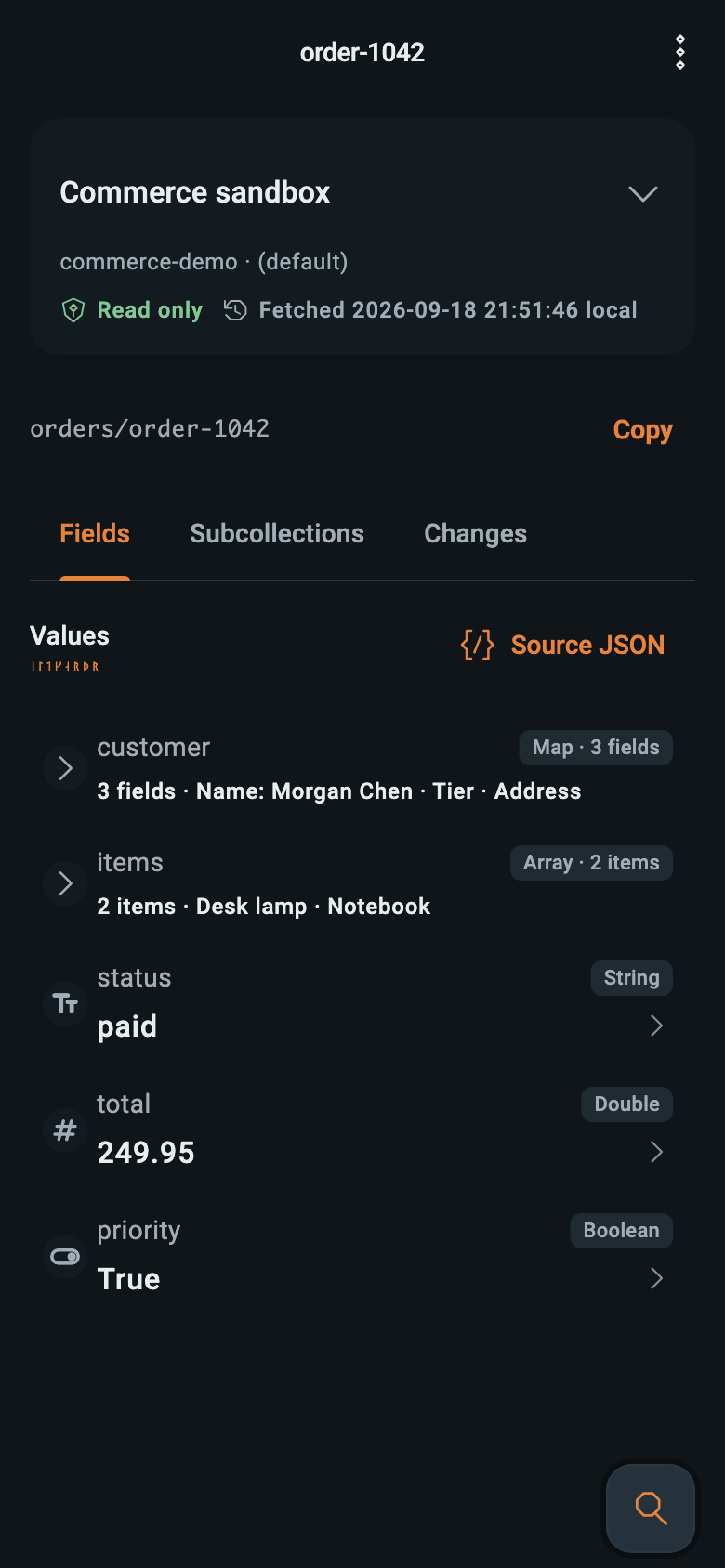
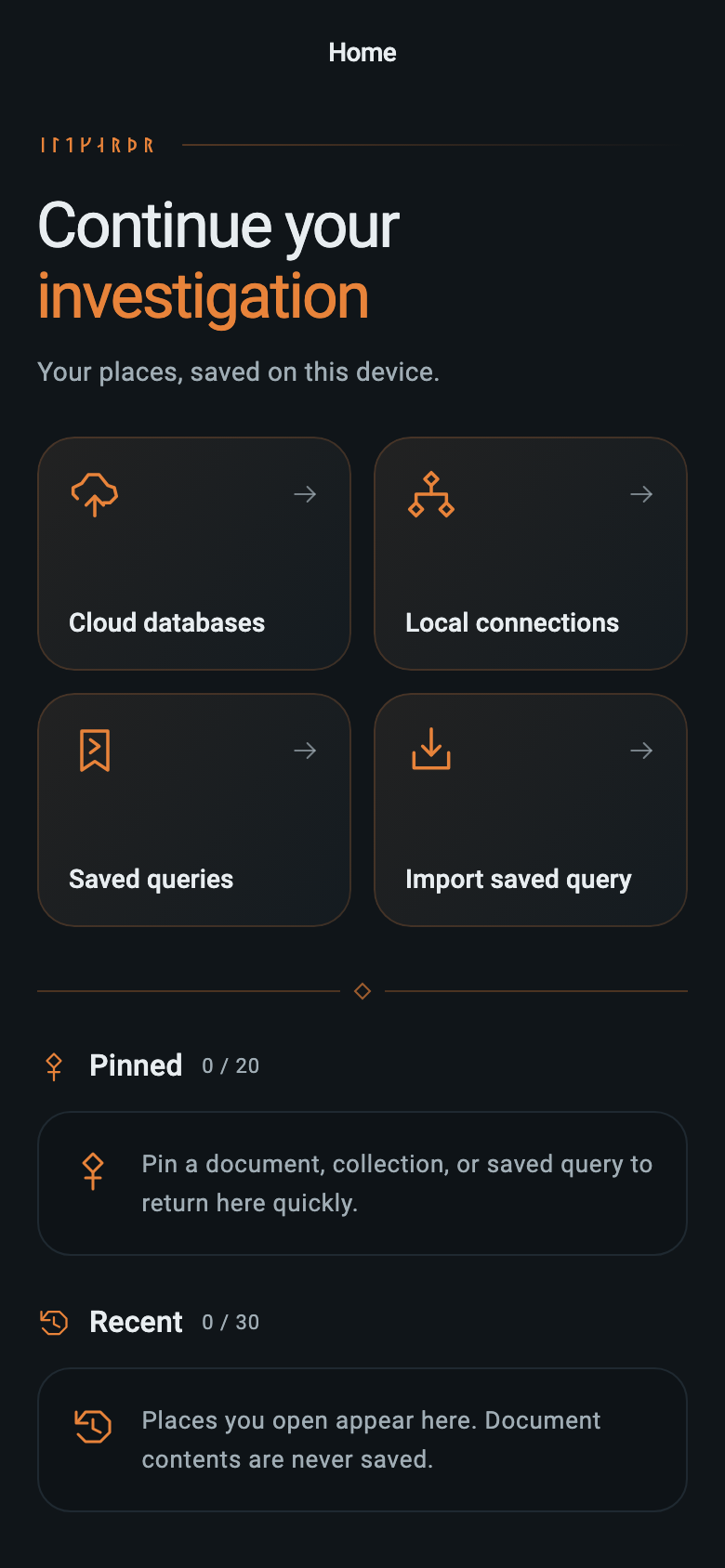
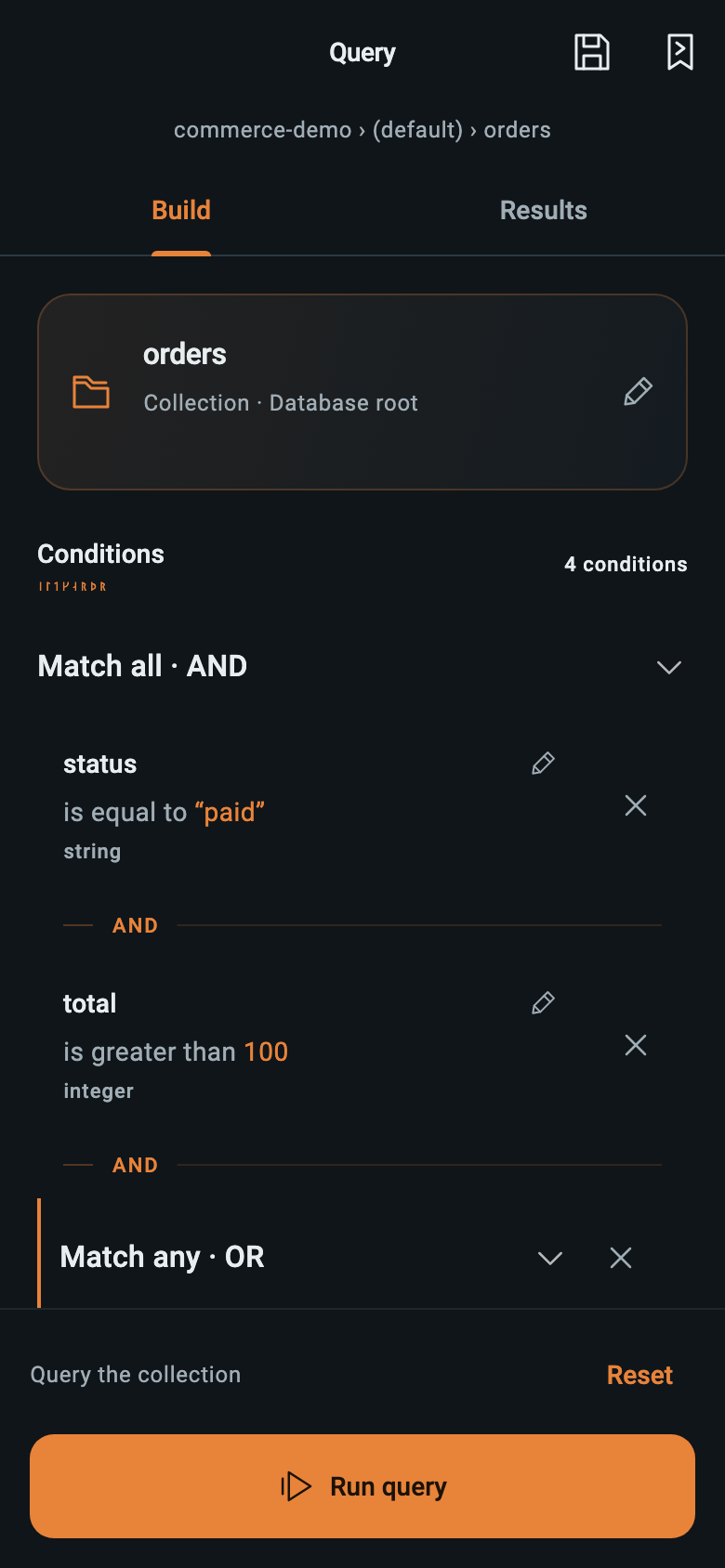
Check a document without opening your laptop. Eldgard for iOS and Android brings focused, read-only Firestore access to your phone, using its own cloud or local-network connection.
iOS & AndroidIn development
Current app screens · fictional demo data
Desktop → mobile
Export a saved desktop query and import it on mobile. The query travels; your credentials and result documents do not. This is a deliberate handoff, not automatic sync.
Choose Export for mobile on a saved query and copy it.
Import the text and select your matching connection.
Load the draft, adjust it, and run or save it yourself.
Planned to be free at launch, with no paid desktop plan required. Public downloads are not available yet.
Companion support04 / Connect on your terms
Start with your local emulator or connect a Google Cloud project. No database migration and no Eldgard-hosted copy of your data.
A guide to the desktop app. This website does not connect to your database.
Run the Firebase emulator on your machine.
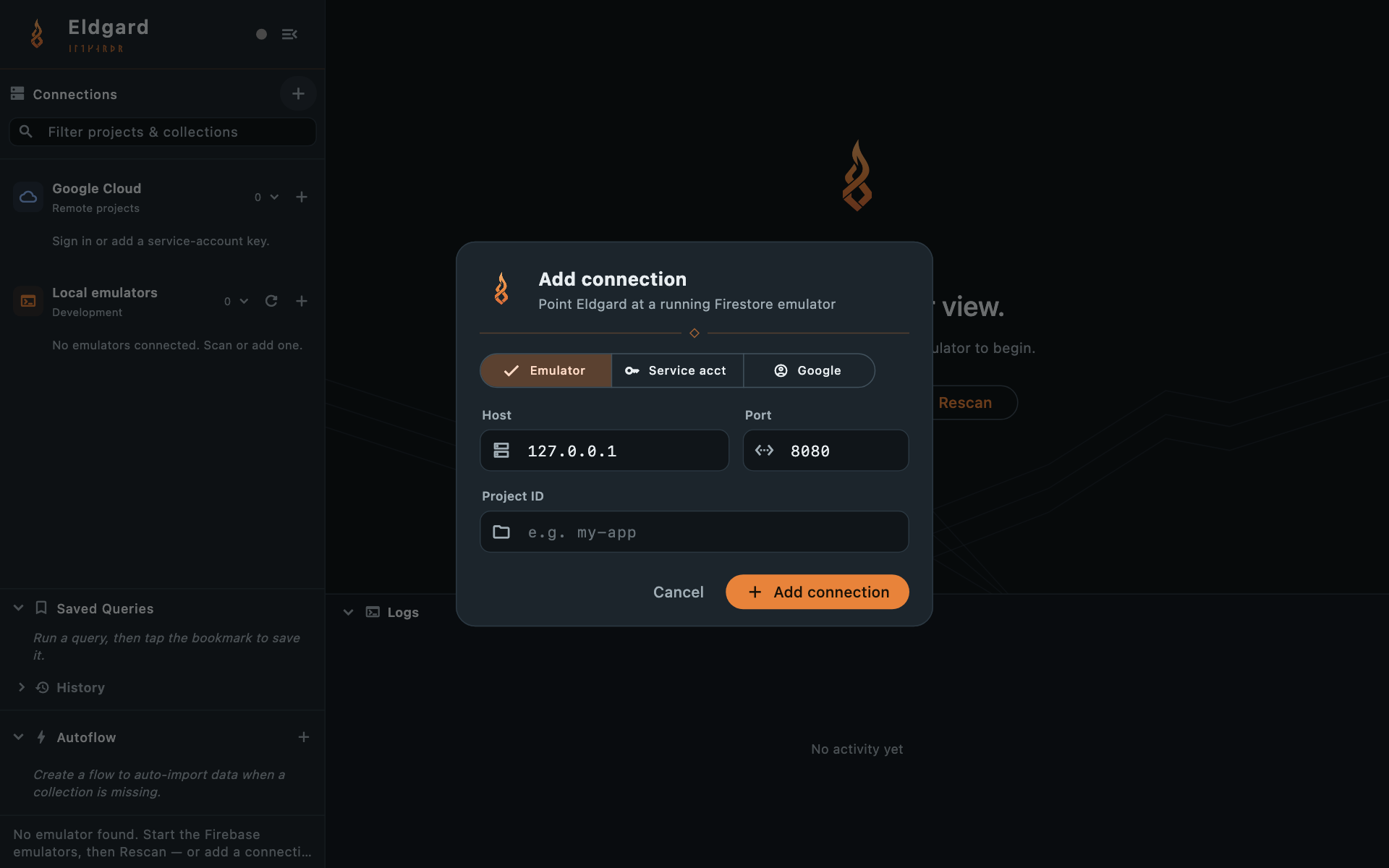
Scan for a running emulator, or enter its host, port, and project ID.
Browse collections, import JSON, and build your first query.
firebase emulators:start --only firestore05 / Planned pricing
Subscribe monthly or save with a yearly plan.
Both plans include full desktop access.
Planned pricing—not on sale yet. Prices and subscription terms may change before launch. Purchases and trials are not available yet.
One named developer
$6 USD · per month
Request early accessRenews automatically each month. Cancel anytime; desktop access ends when your paid billing period ends.
One named developer · Two months free
$60 USD · per year ($5/month)
Request early accessBilled $60 yearly, saving $12 compared with 12 monthly payments. Renews automatically each year. Cancel anytime; desktop access ends when your paid billing period ends.
Planned for both subscriptions: a 14-day full-access trial. No card required.
One subscription per developer. Your Firestore usage is billed separately by Google.
The iOS and Android reader is planned to be free at launch. No paid desktop plan required.
06 / Before you choose
Availability, access, and what your subscription will cover.
Developers who work directly with Firestore: debugging a document, investigating a query, reviewing a data change, or reproducing cloud data locally. Eldgard combines that desktop work with a read-only phone companion. It is focused on Firestore, not a general Firebase administration suite for Authentication, Storage, or deployments.
Eldgard is currently in development. Public downloads and a release date have not been announced. The planned pricing is shown on this page, but purchases and trials are not open yet. Join the email waitlist to hear when early access opens. Joining does not require a payment or grant immediate access.
The desktop app targets macOS, Windows, and Linux. The read-only companion targets iOS and Android. Both are in development; platform-specific release details will be confirmed when public builds are ready.
Choose $6 USD per developer per month or $60 USD per developer per year. The yearly plan is billed as one $60 payment, equivalent to $5 per month, and saves $12 compared with 12 monthly payments. Both plans include full desktop access, updates, and standard support while subscribed. Your plan renews automatically at the end of each monthly or yearly billing period.
You can cancel either plan anytime to stop the next renewal. You keep desktop access, updates, and standard support until the end of your paid monthly or yearly billing period; desktop access then ends. Your Firestore data remains in your own projects.
Either planned subscription covers one named developer, including commercial work, on up to two desktop computers across macOS, Windows, and Linux. Each developer on a team needs their own subscription. You can use as many Firestore projects as you need; Google’s own Firestore usage charges still apply.
No. The current apps connect directly from your device to Google APIs or your chosen emulator. Eldgard does not host a copy of your database or use an Eldgard-operated proxy for document access. Saved queries and other app state stay on your device; optional desktop draft recovery and mutation history can retain document content locally. The Privacy Policy explains each storage category.
The read-only mobile companion for iOS and Android is planned to be free at launch, with no paid desktop plan required. It is also in development; mobile downloads and a release date have not been announced.
Yes. Export a saved desktop query for mobile, transfer its text, then import and review it on your phone. Choose your own matching project and database connection, load the draft, and run it when you are ready. This is an explicit handoff: it does not synchronize your workspace, transfer credentials, or automatically execute the query.
You can use a Google account with access to the project, or a service-account key. Google sign-in does not grant new permissions: your existing Google Cloud IAM roles determine what you can read or change. Google OAuth refresh tokens are stored in the operating system credential vault.
No. Eldgard is an independent product by alxnsv.io. It is not affiliated with or endorsed by Google or Firebase. Firestore and Firebase are products of Google.
Built by Alex Nosov · alxnsv.io
Be among the first to try Eldgard. Leave your email and we’ll let you know when early access opens.
Or email hello@alxnsv.io.
Public downloads and trials are not available yet.